




LED Switch Montessori Busy Board
- Regular price
- $24.99
- Regular price
-
$0.00 - Sale price
- $24.99
- Unit price
- per
Shipping in
Sku : 14:200007501#small
Couldn't load pickup availability
Compact LED Switch Busy Board for Ages 3+
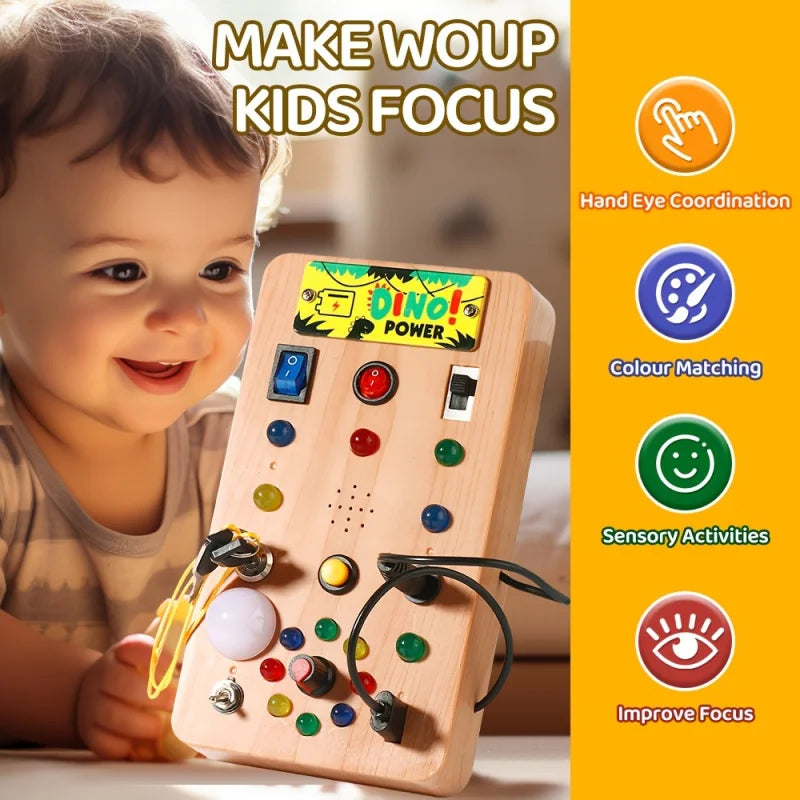
A pocket-size switch board for children aged 3 and over. Move the coloured rocker switches, the toggle and the slider, and red, green, blue and yellow LEDs respond. It runs on 2 AAA batteries with no app and no screen, and it comes with a screwdriver, a dinosaur sticker sheet and an instruction manual.
It is a simple, hands-on way to practise cause and effect: children move a control, watch the light and try again.
Before You Buy: Batteries, Sound and Material
- Batteries are not included. It takes 2 AAA batteries and is not rechargeable. There is no charging cable.
- Lights and switches only. No sound feature is listed. If you want a sound option, see the LED Switch & Voice Recorder Busy Board.
- Wood-look ABS plastic, not timber. The body is smooth ABS with a wood-effect finish.
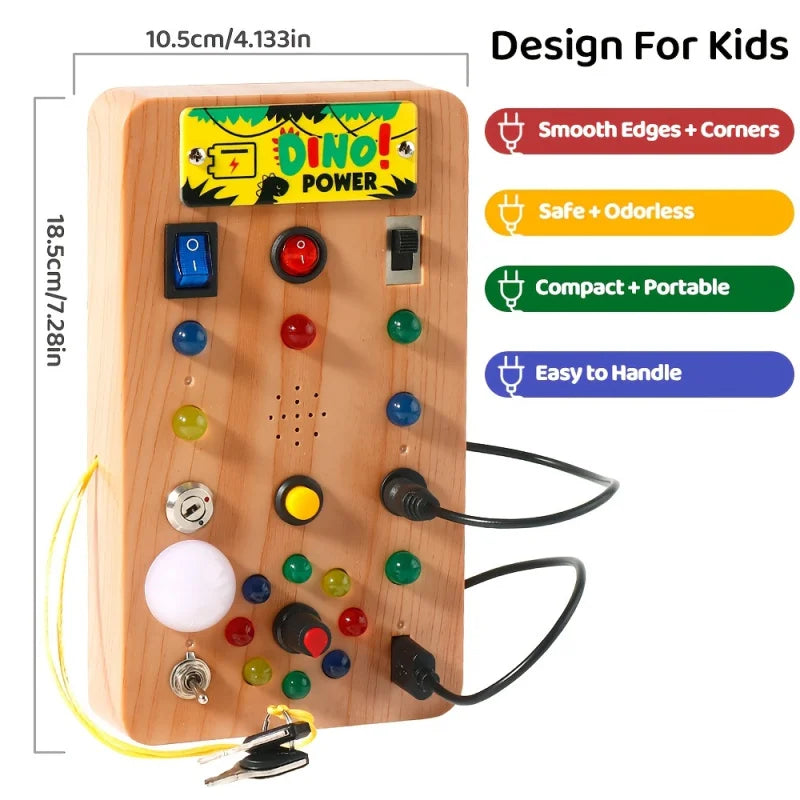
- Small size. About 8.8 × 12.8 cm and about 147 g, so it fits easily on a lap or in a bag.
- Adult setup. An adult installs the batteries and closes the battery cover with the included screwdriver.

What Children Do With the Switches and Lights
-
Flip the rocker switches
The three coloured switches along the top move between positions, so children can see and feel each change and watch how the lights respond.
-
Slide and toggle
The lower slider and metal toggle need a different push, flick or slide. Show the movement gently so the child does not force a control.
-
Find a colour
Six LED lenses in red, green, blue and yellow. Name a colour and ask your child to find it and make it light up.
-
Copy a pattern
For an older child, show a short two-switch pattern and ask them to repeat it at their own pace.
This is play-based practice with controls and lights. It does not promise any particular developmental result.
What Is on the Board
| Part | What it is for |
|---|---|
| Three top switches | Coloured switches that move between positions, so children can see and feel each change. |
| Six LED lenses | Red, green, blue and yellow lights that respond when the controls are used. |
| Lower slider | A sliding control that asks for a different hand movement. |
| Metal toggle | A flick-style switch that is easy to compare with the rocker switches. |
| Plug-in wire connector | Shown on the board. Follow the instruction manual for setup and never force it. |
| Dinosaur sticker sheet | Decorate the board. Keep stickers away from switches, lights, seams and openings. |
| Screwdriver | For the battery-cover screw. Adult use only. |


LED Switch Busy Board Fast Facts
| Detail | Information |
|---|---|
| Recommended age | Ages 3 and over |
| Size | Small: about 8.8 × 12.8 cm |
| Weight | About 147 g |
| Power | 2 AAA batteries (not included). Not rechargeable. |
| Sound | None listed. Lights and switches only. |
| Material | Smooth wood-look ABS plastic |
| In the box | 1 busy board, 1 screwdriver, 1 dinosaur sticker sheet, 1 instruction manual |
| Origin | Mainland China |
Setting It Up (Adults Only)
- Check the board, screwdriver, sticker sheet and instruction manual are in the package, and look over the body and controls for cracks or loose parts.
- Read the manual, then install 2 AAA batteries of the same type, matching the polarity markings.
- Close the battery cover and tighten the screw without over-tightening it.
- Test each control one at a time before handing the board over.
- Show one movement first, then let your child try at their own pace.
Safety and Care

Safety
- For ages 3 and over. Not an infant toy.
- Keep the screwdriver, loose batteries and sticker backing away from children. A swallowed battery needs urgent medical attention.
- Do not mix old and new batteries or different battery types. Remove flat batteries promptly and remove all batteries before long-term storage.
- Do not connect the board to mains power or a USB charger.
- Stop use if the case cracks, a control loosens, wiring shows, the battery cover will not close, or the board gets unusually hot.
- Do not let children take the board apart, and keep the LEDs away from the eyes.
Care
- Remove the batteries before cleaning.
- Wipe the outside with a soft, slightly damp cloth, then dry it fully.
- Keep liquid out of the switches, LEDs, cable openings and battery compartment.
- Do not use abrasive cleaners, solvents or sharp tools.
- Store it indoors somewhere dry, away from heat and direct sunlight.
Delivery and Returns
We ship within Australia with Australia Post. Orders are usually dispatched in 2–4 business days and standard delivery takes about 2–4 business days. You will get a tracking number by email or SMS, and the shipping cost is shown at checkout before you pay. See our shipping policy.
You can return an unopened, unused item in its original packaging within 14 days for an exchange or store credit. If your board arrives damaged or defective, contact us straight away at info@toys4us.au and we will arrange a replacement or a full refund. See our refund policy.
LED Switch Busy Board FAQs
What age is the LED Switch Busy Board for?
It is made for children aged 3 and over. It is not an infant toy, and an adult should handle the batteries, screwdriver and stickers.
Are batteries included?
No. The board needs 2 AAA batteries, which are not included. It is not rechargeable, and an adult should install the batteries.
Does it make a sound?
No sound feature is listed for this board. It has switches and coloured LEDs only. If you want a sound option, take a look at the LED Switch & Voice Recorder Busy Board.
Is the board made from wood?
No. The body is smooth wood-look ABS plastic, not timber.
What comes in the box?
One busy board, one screwdriver, one dinosaur sticker sheet and one instruction manual.
Is it a good travel toy?
It is compact, at about 8.8 × 12.8 cm and about 147 g. Pack it so the switches and cable are not squashed, use it on a lap or tray, and keep the screwdriver with an adult. For more ideas, read our travel busy board guide.
Can my child take it apart?
No. The screwdriver is only for an adult to close the battery cover. Children should not open the board, remove controls or reach the wiring.
What should I do if a light does not turn on?
Have an adult remove the batteries and check they match the polarity markings. If the light is weak or on and off, replace both with a fresh matching pair. Check the plug-in connector against the instruction manual and do not force or rewire it. If it still does not work, stop using the board and email info@toys4us.au.
How long does delivery take?
Orders are usually dispatched in 2–4 business days, and standard Australia Post delivery takes about 2–4 business days. Some remote areas may have limited delivery options.
Can I return it?
Unopened, unused items in original packaging can be returned within 14 days for an exchange or store credit. Damaged or defective items are replaced or fully refunded. Full details are in our refund policy.
Pocket-Size Switches and Lights, Ready for Play
Pocket-size switches and coloured lights for ages 3 and over. The batteries are separate, there is no sound, and the plastic body wipes clean with a slightly damp cloth. Have two AAA batteries ready, choose the Small size and add it to your cart.