

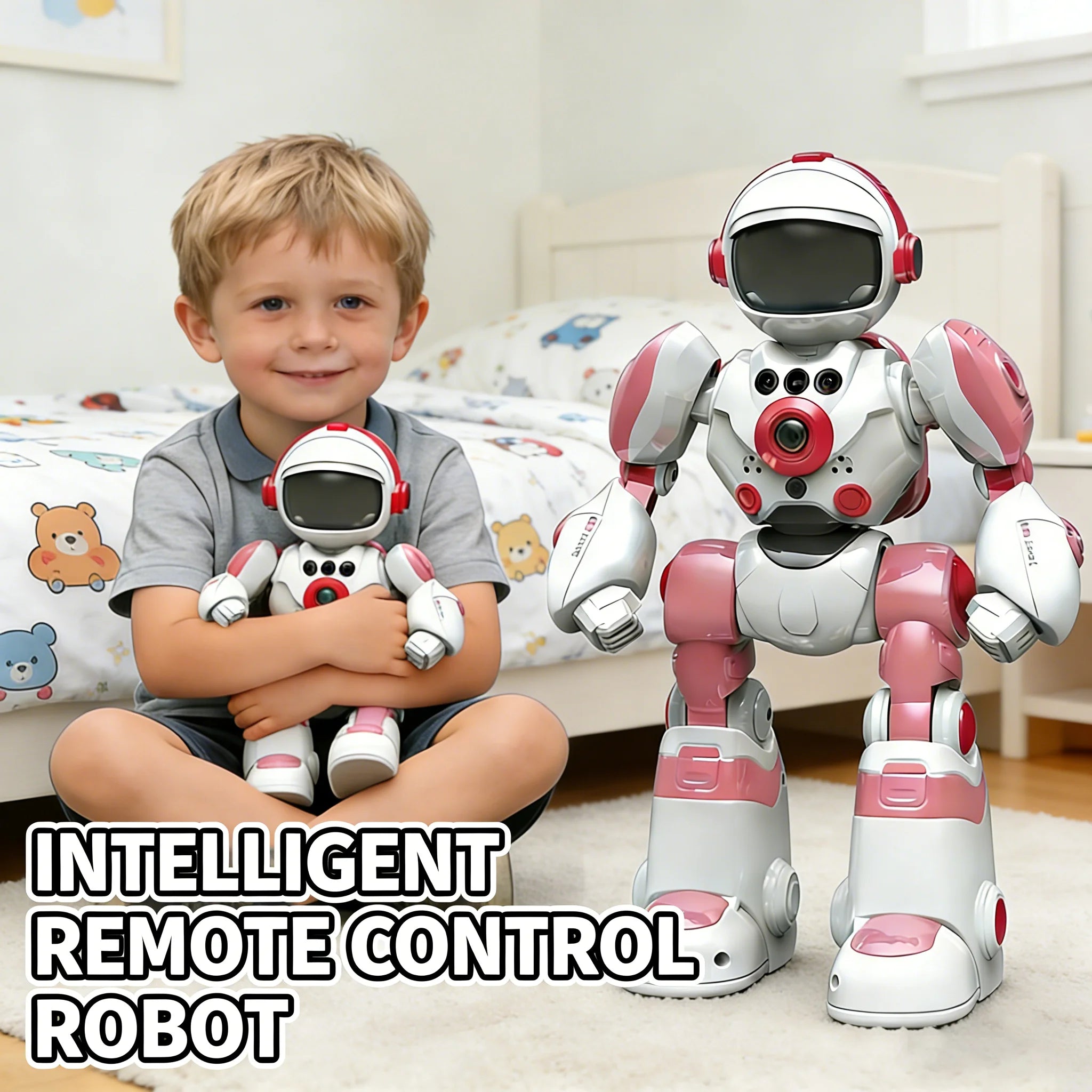


Intelligent RC Robot Voice Gesture Control Programming Machine Music Dancing Toys Recording Electric Robot Toy Children Gift
- Regular price
- $77.99
- Regular price
-
$0.00 - Sale price
- $77.99
- Unit price
- per
Shipping in
Sku : 14:200006154#Green
Couldn't load pickup availability
Robot specifications
| Brand | CONUSEA |
|---|---|
| Model | RC Robot |
| Control methods | Handheld infrared remote control and hand-gesture sensing |
| Movement | Forward, backward, left and right turns, fast forward and sliding-style movement |
| Remote control range | Up to approximately 10 metres in a clear, open area |
| Robot battery | Built-in 3.7V 200mAh rechargeable lithium battery |
| Charging time | About 60 minutes |
| Play time | About 60 minutes; actual time can vary with movement, sound and light use |
| Remote batteries | 2 × AAA batteries, not included |
| Recording | Records and repeats a message for up to 15 seconds |
| Voice effects | Multiple playful sound-changing modes |
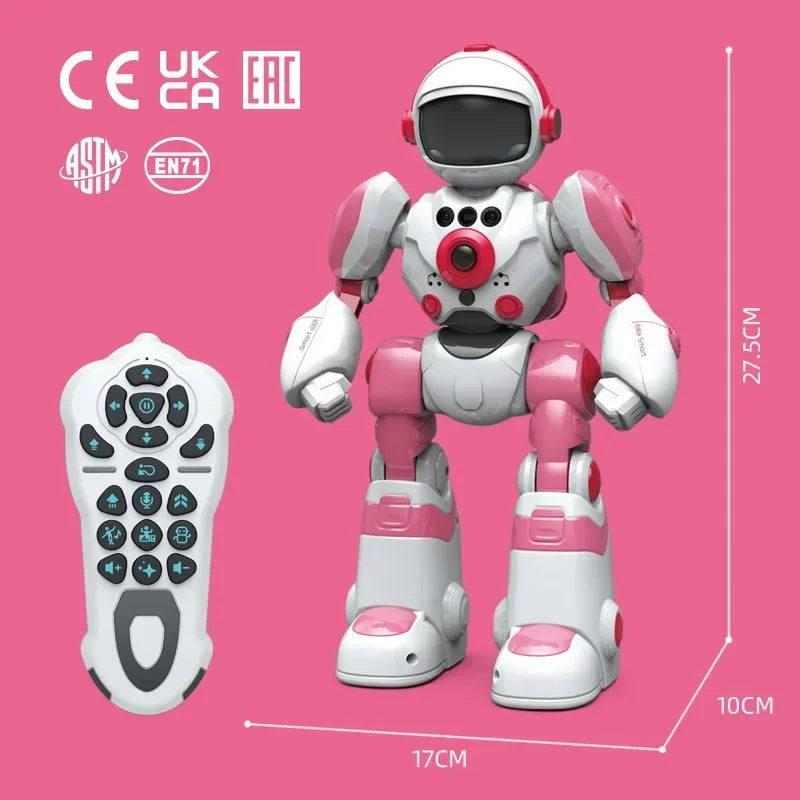
| Product size | Approximately 27.5 × 17 × 10 cm |
| Package size | Approximately 29.5 × 19 × 12 cm |
| Assembly | Ready to go; first charge and remote batteries are required |
| Available colours | Green, yellow, red and blue |
A remote-control robot with more than one way to play
This rechargeable RC robot is made for children who enjoy movement, music and experimenting with controls. They can drive it with the handheld remote, guide basic directions with hand gestures, trigger a dance routine, record a short message and build a simple movement sequence.
The robot responds to remote-control buttons and four directional hand gestures. It can also record and repeat a short message, change the sound of the recording and replay a movement sequence. It does not hold conversations or learn new behaviours.
What children can do with it
Drive it around
Use the remote for forward, backward, left and right movement, with extra buttons for faster sliding-style movement and a stop or standby command.
Try gesture control
Move a hand near the sensing area to send basic directional commands. A clear, slow gesture usually gives the sensor a better chance to respond.
Record a silly message
Record up to 15 seconds, then play it back through the robot with playful sound-changing effects.
Make a movement routine
Enter a short series of commands and ask the robot to replay them in order. Children can test a route, notice where it goes wrong and adjust the next attempt.
Play music and dance
Trigger built-in music and dance actions for a quick performance. Volume controls are shown on the remote so the sound can be adjusted.
Watch the light effects
The face and body lights change while the robot performs. Automatic sleep and low-power protection help conserve the rechargeable battery between play sessions.
Getting started without the guesswork
Charge the robot
Use the supplied charging cable and follow the manual. Allow approximately 60 minutes for a full charge.
Prepare the remote
Install two AAA batteries in the controller. They are not included. An adult should handle the battery compartment and screwdriver.
Start on the floor
Choose a dry, level, uncluttered indoor surface. Leave room around chair legs, stairs, pets and anything breakable.
Learn one control at a time
Try forward, stop, turn and reverse before using dance or programming mode. This makes the remote much easier to understand.
Test gesture sensing
Stand in front of the robot and use a deliberate hand movement near the sensor. Lighting and room conditions may affect response.
Create a short route
Begin with two or three movement commands. Add more only after the robot repeats the first sequence as expected.
Remote, gesture and programming controls explained
- Remote mode: gives the most direct control over forward, reverse, turns, speed, music, dance, lights, recording, volume and programming functions shown on the controller.
- Gesture mode: supports four basic direction commands—forward, backward, turn left and turn right.
- Programming mode: stores a sequence of button commands and replays them. It is a simple cause-and-effect activity, not app-based coding.
- Recording mode: uses the button on the robot to capture a short message. Press the relevant record/repeat control again to hear the stored voice.
For a first challenge, place the robot on a clear floor and try “forward, turn right, forward”. If it misses the imaginary finish line, shorten a movement or change the turn. That small adjustment is where the programming mode becomes more interesting than simply pressing dance.
Choose the colour shown in the selector
Choose from green, yellow, red or blue. Each option is for one robot, not the four-robot group shown in some photos. Check the selected colour and matching thumbnail before checkout. If a colour is unavailable, use the back-in-stock notification to receive an email when it returns.
What is in the box
- 1 × RC robot in the selected colour
- 1 × handheld remote controller
- 1 × charging cable
- 1 × instruction manual
- 1 × screwdriver
Not included: two AAA batteries for the remote. Packaging can change, so compare the delivered contents with the current manual before discarding the box.
Charging, care and safer play
- Charge on a dry, hard surface where an adult can check the cable and robot. Stop using a damaged cable or swollen, hot or leaking battery.
- Do not use the robot near stairs, water, sand, thick carpet or outdoor dirt. The wheels and gesture sensor work best in a clear indoor area.
- Switch the robot off before cleaning. Wipe the shell with a soft, lightly damp cloth and keep moisture away from openings and the charging port.
- Remove the remote batteries for long storage. Keep the supplied screwdriver, AAA batteries and packaging pieces out of reach of younger children.
- Do not force the arms or legs beyond their normal movement. Carry the robot by its body rather than by one limb.
Product image guide
Use these images to see the colour choices, controls, recording feature, gesture mode, dimensions and included accessories. The captions point out the detail shown in each picture so you can compare the options before ordering.


More product details
Check the battery, range and controls below to make sure this robot suits the way your child wants to play.
Product basics
Brand: CONUSEA. Model: RC Robot. The robot is electric, rechargeable and ready to use after charging. It is manufactured in Mainland China.
Battery and play time
The robot includes a 3.7V 200mAh rechargeable lithium battery. Charging and play time are both approximately 60 minutes. The remote works from up to about 10 metres in a clear area and requires two AAA batteries, which are not included. Range and play time can vary with the floor surface, obstacles, volume, lights and movement.
Everyday play functions
Children can record and repeat a message of up to 15 seconds, try sound-changing effects, control movement by remote or hand gesture, adjust the volume, activate the lights, play music and trigger a dance routine. Programming mode lets them arrange movement commands into a short sequence. Automatic sleep and low-power protection help conserve the battery when play stops.
Before the first play
Read the included manual before charging or using the robot. Check the delivered packaging for the applicable product markings, age guidance and safety warnings, then keep the manual for future charging and care instructions.
Questions parents and gift buyers often ask
Does the robot really use AI?
The “AI” wording refers to preset electronic responses. The robot follows remote commands and directional gestures, records and repeats sound, and replays movement sequences. It does not chat or learn new behaviours.
Can a child program the robot?
Yes, in a simple sequence-based way. A child enters movement commands with the remote and the robot replays them in order. This model does not use a coding app or computer connection.
What batteries do I need?
The robot has a built-in rechargeable battery and includes a charging cable. The remote requires two AAA batteries, which are not included.
How long does charging and play take?
Allow about 60 minutes for charging and expect around 60 minutes of use. Both times are approximate because dance, movement, lights, volume, battery condition and floor surface can change the result.
Will it work on carpet?
A smooth, level indoor floor is the safer choice for reliable turning and sliding. Thick or deep-pile carpet can slow the wheels or make programmed routes less accurate.
Does voice control mean it follows spoken commands?
No. The voice feature records, repeats and changes the sound of a short message. The robot does not understand spoken directions.
Which age is this robot for?
Please confirm the age grade before ordering because the product details mention 6–12 years while the box image shows 3+. Follow the age label and warnings on the delivered packaging and manual.
Do all four robots come in the box?
No. The colour selector indicates one robot in the chosen colour. The group image is there to show the green, yellow, red and blue designs together.
Choose a colour and check availability
Pick green, yellow, red or blue from the product selector and confirm the matching image before ordering. If your preferred option is sold out, use the back-in-stock email field on the page rather than choosing a different colour by mistake.